
TL;DR:
- Connecting CRM, analytics, and ad platforms centralizes data for accurate decision-making.
- Audience segmentation enables personalized campaigns that improve engagement and conversions.
- Regular measurement and iterative optimization boost ROI and campaign performance over time.
Running paid campaigns without clean, connected data is like driving with a fogged-up windshield. You're moving, but you can't see where you're going. Many marketing managers at SMBs feel exactly this way: scattered metrics, underperforming ads, and no clear picture of what's actually working. The good news is that a focused, data-driven approach changes everything. This guide walks you through the exact steps to build, execute, and measure campaigns that deliver real, measurable ROI. No fluff. Just a clear roadmap built for e-commerce and service businesses ready to grow.
Table of Contents
- Lay the foundation: Essential tools, data, and integrations
- Segment and personalize: Audience targeting at scale
- Activate data-driven campaigns: Launch, automate, and optimize
- Measure, attribute, and improve: Proving and scaling ROI
- Our take: Why most SMBs struggle with data-driven marketing—and the fix
- Ready to take your data-driven marketing further?
- Frequently asked questions
Key Takeaways
| Point | Details |
|---|---|
| Centralize your data | Connect your CRM, analytics, and ad platforms for a unified view of your customers and campaigns. |
| Segment for relevance | Target your audiences with personalized messaging based on behavior, demographics, and engagement history. |
| Automate for impact | Use triggers and workflows to deliver the right message at the right time and scale results. |
| Measure and improve | Leverage data-driven attribution and ongoing analysis to boost conversions and lower costs. |
Lay the foundation: Essential tools, data, and integrations
Scattered data is one of the most common reasons campaigns underperform. When your ad platform, CRM, and website analytics don't talk to each other, you're making decisions based on fragments instead of the full picture. The fix starts with integration.
The core stack for most SMBs looks like this:
- CRM (HubSpot, Salesforce, or similar) as your central data hub
- Google Analytics 4 (GA4) for behavioral and conversion tracking
- Ad platforms (Google Ads, Meta Ads) feeding performance data back into your CRM
- E-commerce platform (Shopify, WooCommerce) synced with your CRM for purchase history
For e-commerce businesses, the Shopify and HubSpot integration is particularly powerful. It lets you track purchase history, segment by product interest, and trigger automations based on real buying behavior. Service businesses benefit most from connecting their scheduling or booking tools to their CRM, linking lead source data to actual revenue.
Here's a quick look at the data types worth prioritizing:
| Data type | What it tells you | Best use case |
|---|---|---|
| Behavioral | How users interact with your site | Retargeting, landing page optimization |
| Demographic | Age, location, device, income | Audience segmentation |
| Engagement | Email opens, ad clicks, time on page | Lead scoring, nurture flows |
| Purchase history | What they bought and when | Upsell and loyalty campaigns |
The goal is to centralize customer data in a CRM as the single source of truth, enabling dynamic audience segmentation based on behavior, engagement, and purchase history for personalized marketing.
If you're just getting started, the role of Google Ads for small business is a helpful place to understand how paid channels fit into your data ecosystem. And if you want a broader framework, the performance marketing step-by-step guide covers the full system from the ground up.
Pro Tip: Don't wait until you have the perfect tech stack. Start with what you have, connect two or three key tools, and build from there. A simple, working integration beats a complex, half-built one every time. You can also explore Google Ads productivity tips to get more out of your existing setup while you scale.
Segment and personalize: Audience targeting at scale
With your integrations in place, raw data becomes useful only when you organize it into meaningful audience segments. Segmentation is how you stop broadcasting generic messages and start having relevant conversations.
The most effective segments for SMBs typically fall into these categories:
- Demographics (age, location, job title for B2B services)
- Behavioral patterns (site visits, pages viewed, content downloaded)
- Past purchases (category, frequency, average order value)
- Engagement level (active, dormant, at-risk)
- Customer journey stage (awareness, consideration, ready to buy)
67% of SMBs say data helps them prioritize customer needs, and that edge comes directly from proper segmentation.
Here's a practical comparison of manual versus automated segmentation approaches:
| Approach | Speed | Accuracy | Best for |
|---|---|---|---|
| Manual | Slow | Moderate | Small lists, early-stage businesses |
| Automated (CRM rules) | Fast | High | Growing lists, e-commerce |
| AI-assisted (platform tools) | Very fast | Very high | Scale campaigns, large catalogs |
For e-commerce, personalization shows up most clearly in abandoned cart recovery sequences, product upsell flows based on purchase history, and win-back campaigns for lapsed buyers. For service businesses, think appointment reminders timed by service cycle, re-engagement offers for inactive clients, and referral requests sent shortly after a positive experience.

Creative execution matters just as much as targeting. Check out these creative ad strategies for SMBs to pair your segmentation with messaging that actually converts. You'll also find tactical ideas in these PPC campaign tips for running cost-effective paid ads alongside your organic efforts.
Pro Tip: Use journey stage data to time your offers precisely. A prospect in the awareness stage needs educational content. A buyer who just completed a purchase is primed for an upsell, not a re-introduction to your brand.
Activate data-driven campaigns: Launch, automate, and optimize
Segments defined. Data connected. Now it's time to launch. The difference between a campaign that performs and one that stalls often comes down to how well execution follows strategy.
Here's a practical sequence for launching a data-driven campaign:
- Define the goal (lead gen, purchase, re-engagement) and set a measurable KPI
- Pull your segment from your CRM based on behavior, lifecycle stage, or purchase history
- Build your creative with message variations tailored to each segment
- Set up your triggers (time-based, behavior-based, or event-based)
- Launch and monitor daily for the first week, then shift to weekly cadence
Automation is where data-driven marketing really earns its keep. Instead of manually sending follow-up emails or adjusting bids, you set rules that respond to real behavior in real time.
High-impact automations to prioritize:
- Abandoned cart sequences (e-commerce)
- Post-purchase upsell or cross-sell flows
- Lead nurture sequences triggered by content downloads
- Re-engagement campaigns for dormant contacts
- Service renewal or rebooking reminders
Email remains the highest-ROI channel when powered by data-driven triggers. Integrate your CRM with platforms like Shopify or HubSpot for seamless abandoned cart automation and upsell flows that run without manual effort.
For measurable marketing tips specific to Google and Meta campaigns, we've covered how to track meaningful metrics rather than vanity numbers. And if you're looking to push performance further, these advanced Google Ads tips for 2026 walk through the latest optimization levers worth pulling right now.
Measure, attribute, and improve: Proving and scaling ROI
Launching campaigns without a measurement framework is guesswork with a budget attached. The goal here is to know, with confidence, what's working and why.
GA4's data-driven attribution model is the most reliable way to understand the full customer journey. Unlike last-click attribution, it distributes credit across every touchpoint that contributed to a conversion. This matters because most customers interact with your brand multiple times before buying.
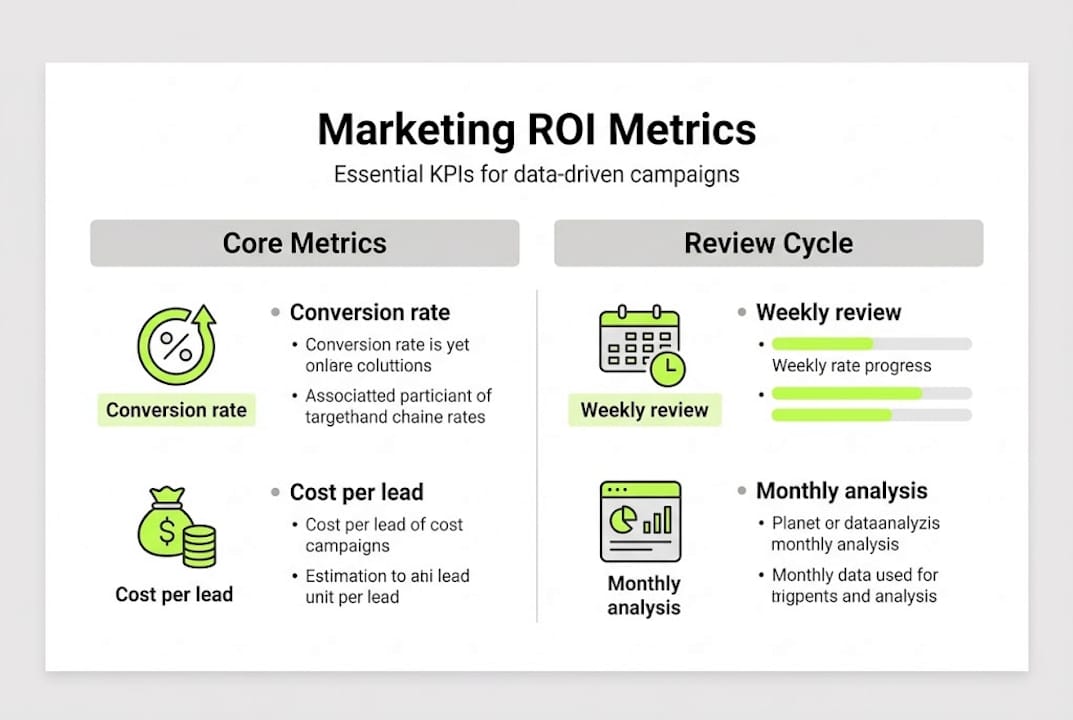
Here's a simple performance tracking framework:
| Metric | What to track | Review frequency |
|---|---|---|
| Conversion rate | By channel and segment | Weekly |
| Cost per conversion | Across Google and Meta | Weekly |
| Customer acquisition cost | Total spend divided by new customers | Monthly |
| Return on ad spend (ROAS) | Revenue generated per dollar spent | Weekly |
| Attribution path | Which touchpoints drive conversions | Monthly |
SMBs that link Google Ads to GA4 see a 23% increase in conversions and a 10% reduction in cost per conversion. That's not a small gain. That's the difference between a campaign that barely breaks even and one that funds its own growth.
Key checklist for ongoing measurement:
- Connect Google Ads and Meta to GA4 for unified reporting
- Set up conversion events that map to real business outcomes
- Use audience insights to refine segment definitions monthly
- Run A/B tests on creative and landing pages consistently
- Review attribution paths to reallocate budget toward top-performing channels
For a focused breakdown of how to protect and grow your ad budget, the guide on optimizing Google Ads ROI is worth bookmarking.
Our take: Why most SMBs struggle with data-driven marketing—and the fix
Here's something most marketing content won't tell you: the problem isn't the data. It's the discipline.
We see this repeatedly. An SMB invests in a new analytics tool, runs a few reports, and then goes right back to making decisions based on gut feel. The tool becomes a line item, not a lever. The issue isn't access to insights. It's the absence of a consistent process for acting on them.
The real breakthrough comes from scaling Google Ads for higher ROI through small, consistent improvements rather than dramatic overhauls. Chasing the latest platform feature or ad format feels productive. It rarely is. What actually moves the needle is closing the feedback loop: run the campaign, measure what happened, make one specific change, and repeat.
Most SMBs skip this because it feels slow. But compounded over 12 months, a business that improves conversion rate by 5% every quarter outperforms one chasing quarterly trend-driven resets every time.
Pro Tip: Set a monthly performance review cadence. One hour a month spent analyzing what worked and adjusting accordingly will outperform a quarterly audit every time. Consistency beats intensity.
Ready to take your data-driven marketing further?
If the steps in this guide feel right but execution feels daunting, that's exactly where we come in. At A&T Digital Agency, we build and manage multi-channel paid ad systems designed to turn data into measurable growth. Whether you need expert Google Ads management that targets the right audiences at the right moment, or Meta Ads campaign specialists who know how to scale creative performance without wasted spend, we've got you covered. Let's build a custom data-driven growth plan together. No unnecessary meetings. Just focused strategy and campaigns that convert.
Frequently asked questions
What is data-driven marketing?
Data-driven marketing uses insights from customer behavior and engagement to craft personalized campaigns that reach the right audience with the right message, boosting conversion rates and ROI.
How do small businesses get started with data-driven marketing?
Start by integrating your CRM, GA4, and ad platforms to centralize your data, then build audience segments to personalize your campaigns and automate key touchpoints like abandoned cart recovery and lead nurture.
Does data-driven marketing really improve ROI for SMBs?
Yes. SMBs that link Google Ads to GA4 using data-driven attribution see a 23% lift in conversions and 10% lower cost per conversion, according to Google research.
Which marketing channel shows the highest ROI for SMBs?
Email marketing delivers the strongest long-term ROI when paired with data-driven segmentation and behavior-triggered automations that respond to real customer actions.