
Apple's App Tracking Transparency prompt removed default IDFA access, ending deterministic cross-app tracking for many iOS users and shrinking retargeting pools industry-wide. The fix isn't complicated, but it is urgent: verify your domain, rank your top 8 Aggregated Event Measurement events by actual value, and get Conversions API running with advanced matching. These steps are essential before adjusting your bids.
TL;DR:
- Building first-party data infrastructure and properly configuring domain verification are crucial for recovering ad performance in the iOS 14 environment.
- Implementing Conversions API with advanced matching, ensuring a match rate above 70 percent, significantly improves attribution accuracy.
- Prioritizing higher-value conversion events like purchases over lower-value actions in AEM settings restores some measurement reliability.
- Waiting 24 to 48 hours before adjusting bids or pausing campaigns prevents premature decisions based on incomplete iOS conversion data.
- Relying on broader, less targeted campaigns and leveraging automated ad formats can offset lost targeting precision caused by reduced tracking capabilities.
Table of Contents
- What Happened to Facebook Ad Performance After iOS 14?
- How Do ATT, AEM, and SKAdNetwork Actually Work?
- Building a Measurement Stack That Actually Works
- Your Step-by-Step Recovery Checklist
- How Do You Know If the Fixes Are Actually Working?
- What Real Account Audits Look Like
- What Happens to Lookalike Audiences Under iOS 14?
- Adapting Creative and Messaging for a Post-ATT Environment
- Rethinking Targeting and Optimization After iOS 14
- Why the 24 to 48 Hour Reporting Lag Trips People Up
- An Editorial Take: Stop Waiting for a Fix That Isn't Coming
- Get Your Meta Ads Measurement Fixed
- Sources
What Happened to Facebook Ad Performance After iOS 14?
The numbers are worse than most advertisers realize, and better documented than most marketers assume. A 2025 academic analysis found conversion-optimized Meta campaigns saw click-through rates and conversion performance drop by roughly 36 to 37 percent after the App Tracking Transparency rollout. That's not a rounding error. That's a category-wide performance collapse that many advertisers blamed on "the algorithm" or "ad fatigue" when the real culprit was a lost data pipeline.
The 36 to 37 percent figure applies specifically to campaigns optimized around conversion events. Awareness and reach campaigns felt less pain, since they never depended on the same tracking signal in the first place.
Three effects compounded to create that decline:
- Retargeting pools shrank because Meta could no longer reliably see which iOS users visited a site or app.
- Lookalike audiences got less precise, since the seed data feeding them lost granularity.
- iOS opt-in rates for tracking permission stabilized around 25 percent across most app categories, which means roughly three out of four iOS users are effectively invisible to standard pixel tracking.
Here's the part that matters most for the readers of this article: smaller advertisers and direct-to-consumer brands got hit harder than large retailers. Big brands had CRM systems, loyalty programs, and years of first-party purchase history to fall back on. A five-person e-commerce team running Meta ads off pixel data alone had nothing to fall back on. The UCLA study notes this asymmetry directly: firms without their own data infrastructure absorbed a larger share of the damage, while businesses with existing first-party pipelines adapted faster.
That's the real lesson buried in the statistics. This wasn't a platform problem that hit everyone equally. It was a data-infrastructure problem that punished whoever hadn't built one yet.
How Do ATT, AEM, and SKAdNetwork Actually Work?
Understanding the mechanics matters because every fix downstream depends on knowing exactly what broke.
App Tracking Transparency (ATT) is the iOS 14.5 prompt that asks users whether an app can track them across other apps and websites. Decline it, and the device's IDFA (Identifier for Advertisers) gets zeroed out. No IDFA means no deterministic link between "this person saw your ad" and "this person bought your product" across different apps. Facebook still knows someone converted. It just can't confidently say which ad, which device, or which user journey caused it.
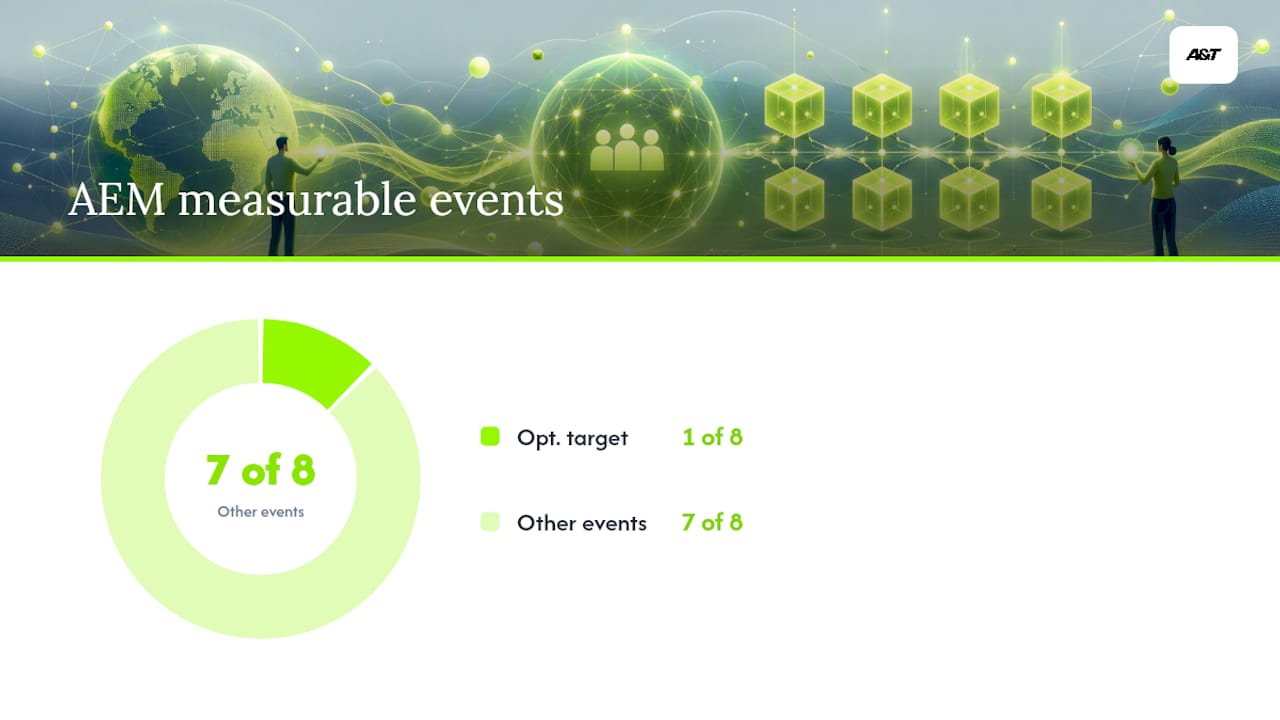
Aggregated Event Measurement (AEM) is Meta's answer to that gap. Instead of tracking individual users, AEM reports on events in aggregate, and it caps each domain at 8 conversion events that can be measured for iOS 14+ traffic. Only one of those 8 events can serve as the optimization target per ad set on iOS. Reporting arrives aggregated and delayed by roughly 24 to 48 hours instead of in real time.
SKAdNetwork (SKAN) handles app-install attribution for iOS apps in a privacy-preserving way. It sends install postbacks without identifying the specific user, which protects privacy but sacrifices granularity. Compared to server-side tracking, SKAN data arrives later and tells you less about who converted, just that a conversion happened within a defined window.
Attribution windows shifted too. Meta deprecated the 28-day click and view windows for most reporting and shifted toward 7-day click and 1-day view as defaults, with SKAN-governed app campaigns running on their own separate timing logic.
| Mechanism | What it does | Practical limitation |
|---|---|---|
| ATT prompt | Requests permission to track across apps | Roughly 75% of users decline, per category-level opt-in data |
| AEM | Aggregates and reports iOS conversion events | Only 8 events per domain, 24–48 hour reporting lag |
| SKAdNetwork | Attributes app installs without user-level ID | Delayed, low-granularity postbacks |
| Attribution windows | Defines the reporting timeframe for conversions | Shrunk from 28-day to 7-day click / 1-day view defaults |
None of these are bugs to work around. They're the new operating rules, and the rest of your measurement stack has to be built for them.
Building a Measurement Stack That Actually Works
Server-side tracking isn't a nice upgrade anymore. It's the baseline for staying competitive in iOS-heavy accounts.
Implement Conversions API (CAPI) and run it alongside your browser pixel, not instead of it. CAPI sends conversion data directly from your server to Meta, bypassing browser-level tracking restrictions entirely. Meta's own guidance treats domain verification and CAPI implementation as the core mitigation pair for iOS 14 traffic, and for good reason: the pixel alone simply can't see what it used to see.
Running both at once creates duplicate events unless you deduplicate properly. Use a consistent event_id across your pixel and CAPI events so Meta can match them and count each conversion once, not twice.
- Send hashed customer identifiers (email, phone) through advanced matching to boost server-side match quality.
- Check Event Match Quality scores in Events Manager weekly, not once and forget it.
- Treat a match rate below 70% as a red flag requiring investigation.
- Treat 80% or higher as the baseline you need for stable, predictable optimization.
Pro Tip: *Check Event Match Quality by event, not just by account.
Modeled conversions are Meta's statistical estimate of conversions it can't directly observe, built from patterns in the data it can see. They're labeled distinctly in Events Manager, and they're not fabricated numbers, but they are estimates. Reconcile them against your actual first-party records (Shopify orders, CRM leads, GA4 sessions) at least weekly so you know whether reported numbers reflect reality or a reasonable guess.
For app-install campaigns, the game changes further. Combine SKAdNetwork postbacks with a mobile measurement partner (MMP) and, where the platform supports it, probabilistic modeling that fills gaps SKAN's limited postback data leaves behind. Retrospective industry analysis backs this up directly: advertisers who paired CAPI adoption with clean first-party data pipelines recovered performance meaningfully faster than those who waited on Apple or Meta to fix things for them.
The agencies and brands that treated CAPI as optional in 2021 are, in most cases, still fighting weak match rates today. The ones who built it properly then are the ones winning cost-per-result battles now.
Your Step-by-Step Recovery Checklist
Fixing an iOS-impacted account isn't a mystery. It's a sequence, and skipping steps out of order is the most common reason implementations fail.
- Verify your domain in Meta Business Manager and confirm ownership in Events Manager. Nothing else in this sequence works reliably without this step done first.
- Audit your AEM event priority list. Set Purchase, or whatever your highest-value conversion is, as priority number one. Strip out low-value events that don't deserve one of your 8 optimization slots.
- Install Conversions API through a direct integration, a partner platform, or a server-side gateway like Google Tag Manager's server container. Enable advanced matching and send hashed identifiers. Confirm your deduplication
event_idis actually functioning, not just configured. - Check Event Match Quality in Events Manager and keep iterating until your match rate clears 70%, then keep pushing toward 80%.
- Restructure campaigns to fit the new rules. Consolidate ad sets that were split too thin for the data volume you now have. Simplify funnels so they respect AEM's 8-event ceiling instead of fighting it. Test Advantage+ formats where Meta's automated learning can compensate for some of the lost signal.
- Rebuild your reporting cadence. Account for the 24 to 48 hour AEM lag on iOS cohorts before making any bid decision. Reconcile server-side numbers against GA4 or your CRM. Run small holdout tests periodically to confirm your reported ROAS reflects real incremental revenue, not just what the platform believes happened.
Pro Tip: Event mis-prioritization is one of the most common, and most fixable, causes of lost iOS revenue. Practitioner audits have documented cases where simply moving Purchase to the number-one priority slot recovered attributed revenue that had been silently misreported for months.
Steps 1 through 4 belong on this week's task list. Step 5 and 6 are quarter-long disciplines, not one-time fixes. Our own conversion tracking setup guide walks through the pixel-and-CAPI implementation piece in more granular detail if you want a deeper technical reference while you work through this list.
How Do You Know If the Fixes Are Actually Working?
Fixing the pipeline is only half the job. Confirming it's actually paying off requires its own discipline, and this is where a lot of advertisers quietly go wrong.
Track Event Match Quality and CAPI match rate as your leading indicators, not lagging ones. A rising match rate this week usually predicts better attribution next week, before you ever see it show up in ROAS.
Cross-check every Meta conversion count against a second source: GA4, Shopify order data, or CRM lead records. Report both modeled and observed numbers side by side rather than treating Meta's dashboard as the single source of truth. Our ad performance tracking guide covers this reconciliation process in more depth.
Build dashboards that respect the lag instead of fighting it. A 48 to 72-hour lookback window for iOS cohorts under AEM prevents the classic mistake of killing a campaign on day one because its numbers looked weak before the aggregated data had even finished arriving. Practitioner retrospectives on AEM's reporting behavior consistently flag same-day optimization as a trap that leads advertisers to cut winning campaigns before the real results show up.
- Log Event Match Quality weekly by event, not just by account.
- Reconcile Meta-reported conversions against GA4 or CRM every reporting cycle.
- Wait the full 48 to 72 hours before judging iOS cohort performance.
- Schedule quarterly incrementality tests, not just annual ones.
Run small geographic or audience holdouts on a quarterly cycle. That's the only reliable way to separate what your ads caused from what would have happened anyway, and third-party research on marketing analytics and measurement backs incrementality testing as one of the more reliable ways to validate reported performance against reality.
What Real Account Audits Look Like
Ann and the Atdigiagency team have spent the years since iOS 14.5 doing exactly what this article describes: auditing accounts where match rates had quietly collapsed, event priorities were misconfigured, or CAPI had been installed but never actually verified for accuracy. Ann has written extensively on conversion tracking mechanics and troubleshooting delivery problems, including why Facebook ads stop spending when tracking issues choke off the optimization signal Meta needs.
Atdigiagency runs performance marketing across Meta, Google, and TikTok, with CAPI implementation and conversion-tracking audits as a core part of that work. Case studies span direct-to-consumer retail, ticketing and entertainment venues, and health and wellness brands, sectors where iOS traffic share runs high and the ATT impact hit hardest.
The pattern across those audits tends to repeat. Results vary by account history and vertical, but the sequence is consistent: fix the pipeline first, then judge the numbers.
What Happens to Lookalike Audiences Under iOS 14?
Lookalike audiences depend on seed data, meaning the group of existing customers or converters Meta studies to find similar new people. When IDFA access disappears for most iOS users, the seed data feeding those lookalikes gets thinner and less representative of your actual buyer.
The practical result is lookalikes that drift. That's not a Meta algorithm failure. It's a data quality failure feeding into an algorithm that can only work with what it's given.
The fix isn't abandoning lookalikes. It's feeding them better seeds. Build your seed audiences from first-party data sources Meta can match reliably through CAPI, like completed purchases synced from your CRM or email list uploads of your highest-value customers, rather than relying purely on pixel-based website visitor data. A seed audience built from 5,000 verified purchasers, matched through advanced matching with hashed emails, tends to produce a tighter, more predictable lookalike than one built from pixel data that's missing three-quarters of the iOS users who visited your site.

Value-based lookalikes, which weight the seed audience by customer lifetime value rather than treating every converter equally, become more useful in this environment too. They squeeze more precision out of a smaller, cleaner data pool instead of spreading thin across a broader, noisier one.
Adapting Creative and Messaging for a Post-ATT Environment
Targeting precision took a hit, so creative now carries more of the weight it used to share with audience targeting.
When Meta can't identify your ideal customer with the same confidence it once had, broader creative testing does some of the work that narrow retargeting used to do. Direct-response messaging that speaks clearly to a specific pain point, rather than relying on retargeting reminders of a product someone already viewed, performs more consistently when the retargeting pool itself has shrunk.
Test messaging that works for cold audiences, not just warm ones. If retargeting pools are smaller and less reliable, campaigns leaning heavily on "you looked at this, come back" messaging will underperform relative to campaigns built to convert someone seeing the brand for the first time.
Advantage+ creative and placement automation, where Meta's system tests variations and placements dynamically, tends to compensate partially for lost targeting precision by letting the algorithm find pockets of performance across a wider net. It's not a replacement for a real first-party data strategy, but it's a legitimate lever worth testing alongside the measurement fixes covered earlier in this article.
Rethinking Targeting and Optimization After iOS 14
Meta's optimization engine runs on signal. Cut the signal, and the targeting options built on top of it get less precise by definition, even though the menu of targeting choices in Ads Manager looks unchanged.
Detailed interest targeting still exists, but it was never the primary driver of iOS performance the way conversion-event optimization was. The real damage landed on any campaign optimizing toward a specific conversion event, because that optimization depends on Meta reliably seeing who converted and adjusting delivery accordingly. With AEM's 8-event cap and delayed reporting, that feedback loop runs slower and with less certainty than it did before iOS 14.
Broad targeting, once considered a beginner's mistake, has become a legitimate strategy in many accounts specifically because Meta's algorithm now has less individual-level signal to overthink. Letting the system cast wider and lean on aggregated event data, rather than micromanaging narrow audience segments, often outperforms the old playbook of stacking interest layers on top of custom audiences.
Our Meta ads strategy guide goes deeper into how optimization goals interact with the current targeting environment, if you want a fuller breakdown beyond what fits here.
Why the 24 to 48 Hour Reporting Lag Trips People Up
Aggregated Event Measurement doesn't report iOS conversions in real time. It batches and aggregates them, typically delivering data with a 24 to 48 hour lag behind when the actual conversion happened.
That lag creates a specific, avoidable mistake: judging a campaign's performance on day-one numbers that haven't finished arriving yet. A campaign that looks like it's underperforming on Tuesday morning may simply be missing a full day and a half of iOS conversions that haven't been reported into the aggregate yet. Pause it based on that incomplete picture, and you've killed a campaign that was actually working.
The fix is procedural, not technical: build a standing rule into your reporting habits that no iOS-heavy campaign gets a bid change or a pause decision based on data less than 48 hours old. Treat same-day and next-day numbers as directional at best. Wait for the aggregation window to close before drawing conclusions, and reconcile what you see against GA4 or CRM data to confirm the lagged numbers actually settled where you expected.
An Editorial Take: Stop Waiting for a Fix That Isn't Coming
The conventional advice on iOS 14 has aged badly. A lot of it still frames ATT as a temporary disruption that better platform tools will eventually resolve. That framing is wrong, and it's kept advertisers waiting for a rescue that was never coming.
What the UCLA research actually supports is narrower and more useful: the accounts that recovered fastest weren't waiting on Meta or Apple to change course. They built server-side infrastructure and treated first-party data as a permanent asset, not a temporary workaround. That's the real takeaway, and it's underdiscussed relative to how much airtime "the algorithm changed" gets in marketing conversations.
The mistake I see most often isn't technical. It's sequencing. Advertisers jump straight to creative testing or bid strategy changes before fixing match rate, which means they're optimizing a system that's still half blind. Domain verification, event prioritization, and CAPI aren't preparatory steps you complete before the real work starts. They are the real work. Everything else, creative, targeting, budget allocation, only performs as well as the data feeding it.
— Ann
Get Your Meta Ads Measurement Fixed
Our agency treats CAPI implementation and AEM event strategy as the foundation of every Meta engagement, not an optional add-on billed separately after the fact. That's the real difference between hiring a generalist agency and hiring a team that specifically builds measurement pipelines for iOS-heavy accounts: the fixes covered in this article aren't a side project for us, they're where every account audit starts.
Our Meta ads management service includes conversion-tracking audits, Conversions API setup, and campaign optimization built around the AEM and attribution realities covered here. New clients typically start with a short audit that maps out where match rate and event priority may affect performance, followed by a prioritized fix-and-monitor timeline. If your account has felt the iOS 14 slowdown and the fixes above sound like more than your team has bandwidth for, request an audit and we can help identify where the gaps may be.
Sources
- Evaluating the Impact of Privacy Regulation on Meta advertising (Anderson/UCLA 2025)
- Preparing our Partners for iOS 14: Actions for Partners and Mobile Web Advertisers (Meta)