
Use this baseline formula and adjust the fields to your stack: [channel]_[audience]_[brand]_[YYYYMM or YYYYQ#]_[objective]. An example: paidsocial_newbiz_acmeco_2026q2_leadgen. That single string tells you the channel, who you targeted, which brand or product line, when it ran, and what it was built to do.
Three formatting rules make this work everywhere, every time:
- Lowercase only. No exceptions, no capitalized brand names inside the string.
- Underscore as the primary delimiter, with hyphens allowed inside a single field (like
new-bizif you need a compound word). - Year-first dates (
YYYY-MMorYYYYQ#), never month-first or day-first, so sorted lists stay chronological.
Once you've settled on a formula, write it down somewhere permanent. Put it on a one-page reference in your team wiki, link it from your campaign kickoff checklist, and pair it with a shared link builder that enforces the fields automatically. If the convention lives only in someone's head, it dies the first time that person goes on vacation.
Key Takeaways
A single lowercase, underscore-delimited formula with a year-first date field, applied consistently across every campaign, ad set, and ad, is what makes cross-platform reporting trustworthy.
| Point | Details |
|---|---|
| Use the baseline formula | Start every campaign with channel_audience_brand_date_objective and adjust fields for complexity. |
| Enforce lowercase and underscores | Case sensitivity in GA4 splits identical campaigns into separate rows if formatting drifts. |
| Put dates year-first | YYYY-MM or YYYYQ# keeps alphabetical sorting chronological and avoids annual name collisions. |
| Assign unique fields per hierarchy level | Campaign, ad set, and ad names should never repeat the same metadata twice. |
| Enforce with a shared link builder | A documented convention without a tool to generate names automatically tends to fail within months. |
Table of Contents
- Why Campaign Naming Conventions Matter More Than Most Marketers Realize
- The Core Fields Every Campaign Name Should Include
- Naming at the Campaign, Ad Set, and Ad Levels
- Formatting Rules and Choosing a Naming Method
- Matching Your Campaign Names to UTM Tagging
- Ready-to-Copy Campaign Naming Examples by Type
- Making the Naming Convention Actually Stick
- Platform Limits and the Mistakes That Break Naming Conventions
- What Most Naming Convention Advice Gets Backward
- FAQ: Campaign Naming Conventions
- Sources
Why Campaign Naming Conventions Matter More Than Most Marketers Realize
A naming convention isn't a nice-to-have style guide. It's the difference between a dashboard you trust and one you have to double-check by hand every month.
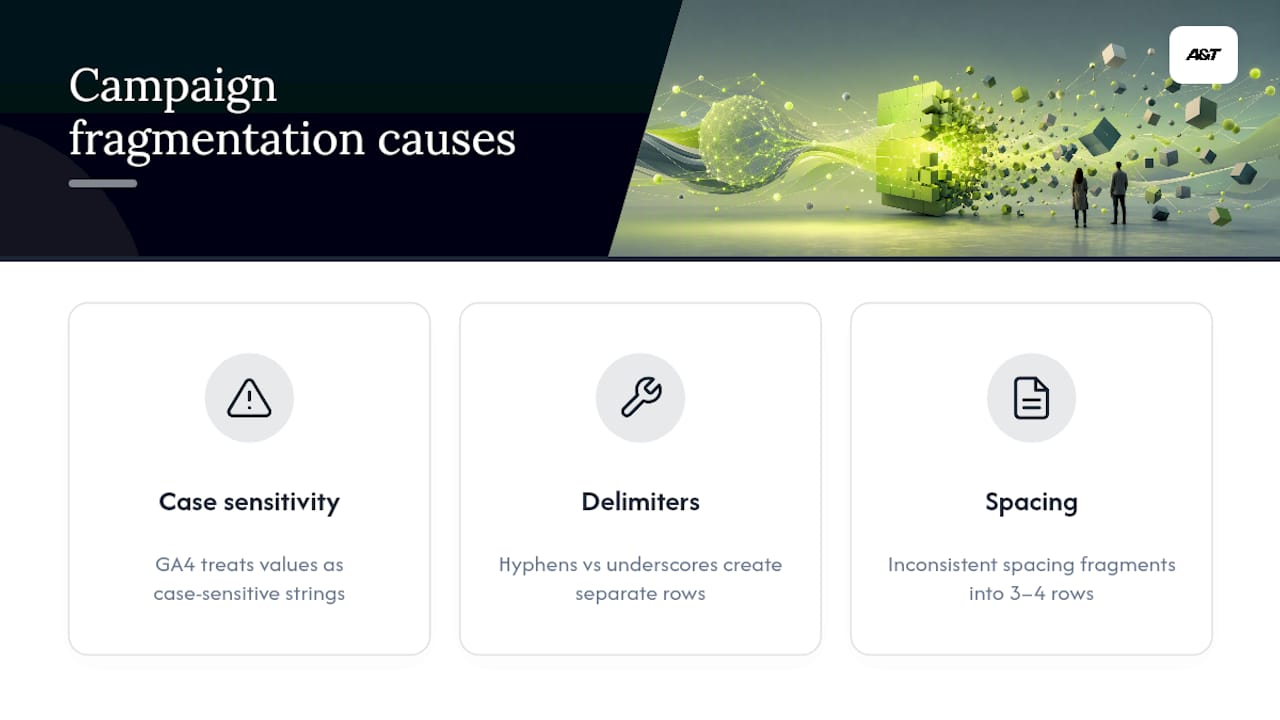
Here's the fragmentation problem in plain terms: Google Analytics 4 treats campaign values as case-sensitive strings. That means Spring_Sale and spring_sale register as two separate campaigns in your reports, even though they're the same initiative to everyone on your team. Add a colleague who prefers hyphens while you use underscores, and now a single campaign fractures into three or four rows in every report that touches it.
The damage compounds at the worst possible moment: year-over-year comparisons. A holiday promo named BlackFriday2025 and its successor named black_friday_2026 won't line up in any pivot table without manual cleanup. Trend lines split. Aggregates undercount. Someone on your team ends up reconciling spreadsheets instead of making decisions.
This isn't a cosmetic issue. Poor data quality is actively hampering companies' analytics and AI initiatives, and inconsistent campaign naming is one of the most common, most fixable sources of that mess. You don't need a data science team to solve this. You need a format everyone follows before the first campaign launches, not after the reporting breaks.
The Core Fields Every Campaign Name Should Include
A workable taxonomy uses somewhere between 6 and 9 fixed fields, a single delimiter, and a controlled vocabulary for each field, meaning you predefine the allowed values instead of letting people type freely.
Here's the core set most marketing teams should standardize on:
- Channel — paid social, paid search, email, organic, partner referral
- Audience — new business, retargeting, existing customers, lookalike
- Region — if you run geo-specific campaigns; skip if you're single-market
- Brand or product — critical the moment you manage more than one brand or SKU line
- Date — always year-first,
YYYY-MMorYYYYQ# - Objective — leadgen, awareness, conversion, retention
- Creative ID — a short code identifying the specific asset or variant, usually reserved for the ad level rather than the campaign level
Not every field earns mandatory status. A single-market SMB running one brand doesn't need a region field cluttering every name, and a lean five-person team probably doesn't need a creative ID at the campaign level either. Decide what's mandatory based on how complex your program actually is, not how complex it might become someday. Adding fields later is easy. Ripping out unused ones after eighteen months of campaign history is not.
One ordering trick that pays off fast: put whichever field you search for most at the front of the string. If you constantly filter by channel when auditing spend, paidsocial_... should lead. If you're always hunting by audience segment, put audience first. Alphabetical sorting in most ad platforms and spreadsheets will then group your most-searched dimension automatically, saving you from scrolling through hundreds of rows every time you need to find something.

Naming at the Campaign, Ad Set, and Ad Levels
Redundant naming is one of the most common ways teams sabotage their own reporting. If your campaign name already says "spring_promo" and then every ad set repeats "spring_promo" again with no new information, you've wasted characters without adding clarity. Each level of your campaign hierarchy should carry information unique to that level.
-
Campaign level. Reserve this for initiative-wide identifiers: the product or brand, the overall objective, and the launch date. This is the "what and when" layer. Example:
paidsearch_acmeco_2026q2_leadgen. -
Ad set (or ad group). This is where audience and targeting detail belongs, since it changes within a single campaign. Add audience segment and the targeting window if it's time-bound. Example within that campaign:
newbiz_retarget_30day. -
Ad level. Creative format and variant live here, since this is what actually changes between A/B tests. Example:
video_v2_15secorcarousel_v3_static.
The rule that ties this together: don't repeat the same metadata at a lower level. If "leadgen" is already locked in at the campaign level, you don't need to restate it in every ad set name underneath it. Unique fields per level keep every string shorter, keep your reports parsable, and keep anyone scanning a list of fifty ad names from having to reread the same six words fifty times.
Formatting Rules and Choosing a Naming Method
Two formatting decisions determine whether your convention survives contact with real campaign volume: character rules and naming method.
The character rules are simple. Stick to lowercase letters, numbers, underscores, and hyphens (a through z, 0 through 9, _ and -). Use year-first dates in YYYY-MM or YYYYQ# format. Aim to keep the full string under 80 characters total, since longer strings get truncated in reporting interfaces and become unreadable in spreadsheet columns.
You have two real options for structuring the string itself:
- Delimiter-based naming (
channel_audience_brand_date_objective) is compact, easy to parse programmatically, and the sensible default for most teams. Underscores work reliably across nearly every ad platform without triggering URL-encoding issues, unlike pipes or periods, which carry platform-specific caveats. - Key-value naming (
ch:paidsocial|aud:newbiz|d:2026q2) labels every field explicitly, which makes ambiguous values self-documenting. The tradeoff is length. These strings run longer and get truncated faster in platform interfaces, and the labeling syntax adds characters that don't carry any actual campaign information.
Pro Tip: Default to delimiter-based naming unless an automated parser downstream genuinely needs explicit field labels to disambiguate values. Most teams reach for key-value formatting because it looks more sophisticated, then regret it the first time a campaign name gets clipped in a reporting dashboard.
Matching Your Campaign Names to UTM Tagging
Your utm_campaign parameter should match your campaign name exactly. Treat it as one source of truth across every ad platform and inside Google Analytics 4, not two separate systems you have to keep in sync manually. UTM rules follow the same lowercase, single-delimiter logic as your campaign naming convention, since consistency between the two is what keeps GA4 reporting clean.
Here's how that alignment plays out by channel:
- Email:
utm_source=email&utm_medium=email&utm_campaign=welcomeseries_2026q1 - Paid social:
utm_source=facebook&utm_medium=paidsocial&utm_campaign=newbiz_retarget_2026q2 - Organic social:
utm_source=instagram&utm_medium=social&utm_campaign=productlaunch_2026q2 - Paid search:
utm_source=google&utm_medium=cpc&utm_campaign=brandterm_leadgen_2026q1 - Partner referral:
utm_source=partnername&utm_medium=referral&utm_campaign=partner_promo_2026q3
Match your utm_medium values to how Google Analytics 4 groups default channels, so your traffic lands in the right bucket without manual reclassification. Three rules keep this from unraveling: lowercase everything without exception, pick one separator for UTM values and never mix it with another, and resist the urge to invent custom UTM parameters when the standard five (source, medium, campaign, term, content) already cover what you need. Custom parameters tend to multiply undocumented, and within a year nobody remembers what utm_promoflag was supposed to track.
Ready-to-Copy Campaign Naming Examples by Type
Nine recurring campaign patterns cover the overwhelming majority of what most teams launch. Documenting a small set of reusable frameworks beats reinventing a naming scheme for every new campaign.
| Pattern | When to use it | Example name | Matching utm_campaign |
|---|---|---|---|
| Promo + period + year | Seasonal sales, limited-time discounts | promo_summersale_2026 | promo_summersale_2026 |
| Product + version + launch | New product or feature rollout | productx_v2_launch | productx_v2_launch |
| Audience + offer + date | Segmented offer to a specific group | newbiz_freetrial_2026q2 | newbiz_freetrial_2026q2 |
| Lifecycle flow | Automated email or nurture sequences | lifecycle_onboarding_flow | lifecycle_onboarding_flow |
| Event + year | Conference, webinar, or in-person event | webinar_growthsummit_2026 | webinar_growthsummit_2026 |
| Recurring acronym + year | Annual campaigns with a known short name | bfcm_2026 | bfcm_2026 |
| Test + variant | A/B or multivariate creative tests | test_headline_variantb | test_headline_variantb |
| Partner + name + period | Co-marketing or affiliate campaigns | partner_acmeco_2026q3 | partner_acmeco_2026q3 |
| Region + segment | Geo-targeted campaigns across markets | west_smb_2026q1 | west_smb_2026q1 |
Pick your pattern by campaign type first, then plug in your controlled vocabulary for each field. A recurring seasonal push like Black Friday should always default to the "recurring acronym + year" pattern, since it's the format most resistant to the year-over-year collisions that plague dashboards every November.
Making the Naming Convention Actually Stick
A convention that lives in someone's notes folder isn't a convention. It's a suggestion. Three artifacts turn it into something your whole team actually follows:
- A one-page reference listing every field, its allowed values, and the delimiter rule, kept somewhere permanent like a team wiki.
- A controlled vocabulary document defining exactly which values are allowed per field (so "leadgen," "lead_gen," and "leads" don't all end up meaning the same thing in three different campaigns).
- A shared link builder or template that generates compliant names and UTMs automatically, so nobody has to remember the format from memory.
That third artifact matters more than most teams assume. Most naming conventions fail not because the format was wrong, but because nobody enforced it with a shared tool, and human memory is a bad substitute for a dropdown menu.
Assign one owner for the convention, run a monthly audit scanning your GA4 source and medium reports for outliers that don't match the format, and define a remediation plan for legacy campaigns that predate the rule (usually: leave historical data alone, fix everything going forward). For validation, a simple regex pattern checked at campaign kickoff catches most errors before they ever reach a live account.

Pro Tip: Build your regex check into your campaign kickoff checklist, not into a quarterly cleanup task. Catching a naming error before launch costs five minutes. Catching it three months later costs an afternoon of manual data reconciliation.
Platform Limits and the Mistakes That Break Naming Conventions
Every platform has a breaking point where your carefully formatted name gets cut off, and it's rarely announced. Aim for the full campaign name string to stay under 80 characters, and keep utm_campaign under 100 characters to be safe across ad platforms and analytics tools.
Watch for these recurring traps:
- Pipes and periods behave inconsistently across platforms and can trigger unwanted URL-encoding; underscores remain the safer default separator.
- Placeholders that expose internal names publicly. A
utm_campaignvalue shows up in the URL bar, so avoid embedding anything you wouldn't want a customer to screenshot. - GA4's case sensitivity.
Spring2026andspring2026are two different values to Google, not one. - The abbreviation hierarchy when space is tight: shorten creative details first, then audience labels, then objective codes. Never drop the year, even under length pressure, since year-first dates prevent the exact collision problem that breaks year-over-year comparisons.
What Most Naming Convention Advice Gets Backward
Most guidance on this topic treats naming conventions as a documentation exercise: write the spec, circulate it, hope people read it. That approach fails constantly, and it fails for a predictable reason. A one-page reference nobody is required to touch before launching a campaign is a suggestion, not a standard.
The research on this is consistent: the conventions that survive are the ones baked into a shared link builder or template that generates the compliant name for you. Documentation supports the tool. It doesn't replace it. If your team still has to remember the formula, you've built a spec, not a system.
The other overrated piece of advice is over-engineering the taxonomy before you've run a single campaign under it. Teams spend weeks debating whether to include a region field they'll use twice a year, while ignoring the much bigger risk sitting in plain sight: case sensitivity. Spring_Sale versus spring_sale will cost you more reporting accuracy than a missing field ever will.
Start narrow. Six fields, one delimiter, one owner, one audit cadence — following how to plan digital campaigns that drive organic growth principles ensures consistency and success. Expand only when a real reporting gap forces the question, not because a template online suggested nine fields might be safer.
FAQ: Campaign Naming Conventions
What is the best campaign naming convention for a small marketing team?
A delimiter-based formula with five to six fields (channel_audience_brand_date_objective) covers most SMB needs without becoming unwieldy. Add fields like region or creative ID only once your program grows complex enough to need them.
Should campaign names be all lowercase?
Yes. Google Analytics 4 treats campaign values as case-sensitive, so mixed capitalization creates duplicate entries for what should be a single campaign in your reports.
How long should a campaign name be?
Keep the full campaign name under 80 characters and your utm_campaign value under 100 characters. Longer strings risk truncation in ad platform interfaces and become hard to read in spreadsheet exports.
Should I use underscores or hyphens in campaign names?
Use underscores as your primary delimiter between fields. Hyphens are fine inside a single field (like new-biz), but mixing separators inconsistently across a team is one of the most common causes of fragmented reporting.
How do I get my team to actually follow the naming convention?
Documentation alone rarely works. Pair your written reference with a shared link builder or template that generates compliant names automatically, assign one owner, and run a monthly audit against your GA4 source and medium reports to catch drift early.
If building and enforcing this system across every campaign feels like more than your team has bandwidth for, that's exactly the kind of operational detail Atdigiagency handles as part of managing Google Ads and Meta ads campaigns for clients, so reporting stays clean from the first campaign launch onward.
Sources
- Marketing campaign taxonomy guide 2025 | Adverity
- Marketing Campaign Taxonomy Guide 2026 | Improvado
- UTM naming conventions: 8 rules + templates for teams | LinkUTM
- UTM naming conventions: a marketer's playbook | Trakl